


Description
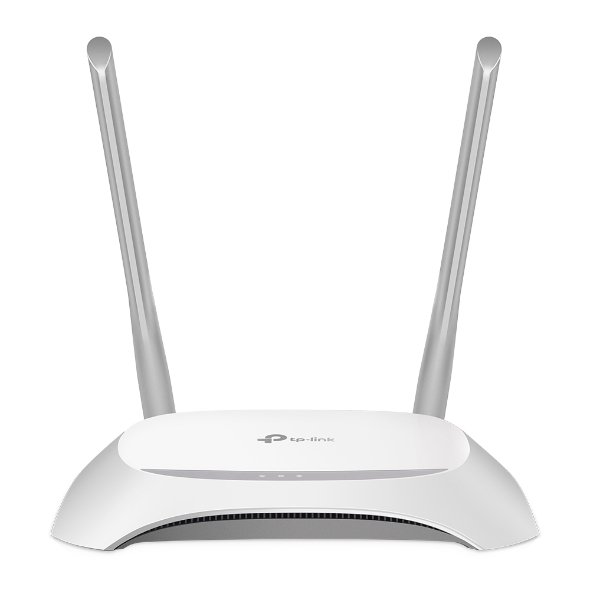
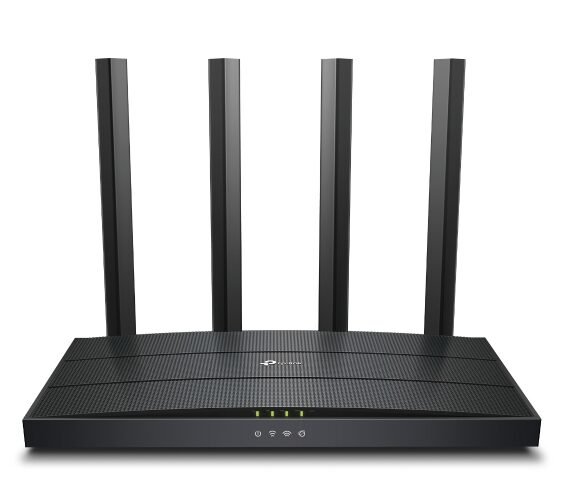
The TP-Link TL-WR840N is a dependable, no-frills 300Mbps wireless router built for anyone who wants stable internet coverage without unnecessary complexity or cost. Designed around Wi-Fi 4 (802.11n) technology operating on the 2.4 GHz band, this router delivers reliable wireless speeds of up to 300 Mbps, making it well-suited for everyday tasks like browsing, HD video streaming, video calls, and online gaming in small to mid-sized homes or offices. With coverage rated for spaces around the size of a two-bedroom house, the TL-WR840N is ideal for apartments, small homes, and compact office setups where consistent Wi-Fi matters more than long-range performance.
One of the standout features of the TL-WR840N is its flexibility. Rather than being locked into a single function, the router supports four distinct working modes — Router Mode, Access Point Mode, Range Extender Mode, and WISP Mode — allowing it to adapt to different networking needs. Whether you’re setting up a new home network from scratch, extending existing Wi-Fi coverage to a dead zone, or connecting wirelessly to your ISP in areas without wired infrastructure, this router can be configured to fit the job.
Security hasn’t been overlooked either. The TL-WR840N includes an SPI firewall, IP and MAC address binding, and an application layer gateway to help keep your network protected from unauthorized access. It also supports WEP, WPA, WPA2, and WPA/WPA2-Enterprise encryption standards, giving you multiple layers of protection depending on your setup. A dedicated 2.4 GHz guest network lets you share internet access with visitors without exposing your main network or devices.
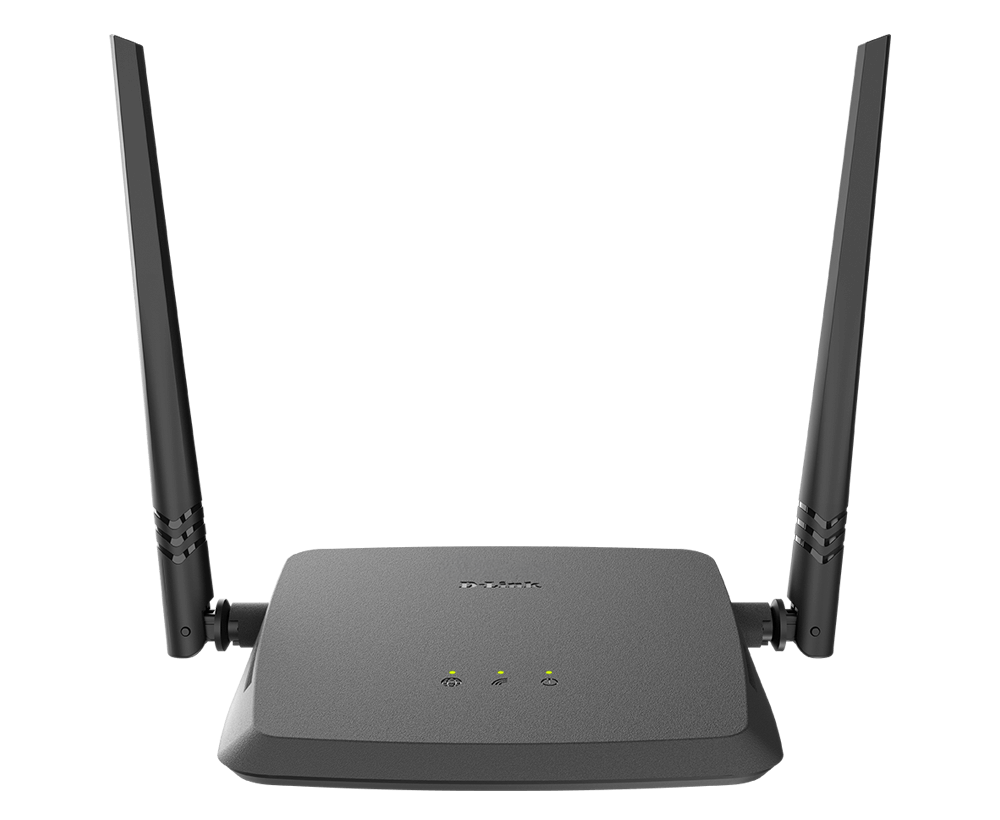
On the hardware side, the router is equipped with one 10/100 Mbps WAN port and four 10/100 Mbps LAN ports, giving you enough wired connections for a modem, desktop PC, smart TV, or gaming console alongside your wireless devices. Two fixed external antennas help extend and stabilize the wireless signal throughout your space.
For added convenience, the TL-WR840N supports both IPv4 and IPv6 protocols, along with practical features like parental controls (URL filtering and time-based restrictions), Quality of Service (QoS) by device, and full NAT forwarding options including port forwarding, port triggering, DMZ, and UPnP. IPTV users will also benefit from IGMP Proxy and Snooping support for smoother streaming performance.
Setup and day-to-day management are kept simple through TP-Link’s Tether app or a standard web browser interface, so whether you’re a first-time router user or managing multiple devices on your home network, configuration stays straightforward.
Backed by FCC, CE, and RoHS certifications and built for reliable performance in typical home operating conditions, the TP-Link TL-WR840N offers a practical, budget-friendly solution for anyone needing solid, everyday Wi-Fi performance without paying for features they won’t use.
TP-LINK TL-WR840N WIRELESS |
|
|---|---|
| Standards and Protocols | Wi-Fi 4 IEEE 802.11n/b/g 2.4 GHz |
| WiFi Speeds | N300 2.4 GHz: 300 Mbps (802.11n) |
| WiFi Range | 2 Bedroom Houses
2× Fixed Antennas |
| WiFi Capacity | Legacy |
| Working Modes | Router Mode Access Point Mode Range Extender Mode WISP Mode |
SECURITY |
|
|---|---|
| Network Security | SPI Firewall Access Control IP & MAC Binding Application Layer Gateway |
| Guest Network | 1× 2.4 GHz Guest Network |
| WiFi Encryption | WEP WPA WPA2 WPA/WPA2-Enterprise (802.1x) |
TP-Link TL-WR840N HARDWARE |
|
|---|---|
| Processor | Single-Core CPU |
| Ethernet Ports | 1× 10/100 Mbps WAN Port 4× 10/100 Mbps LAN Ports |
| Buttons | Reset Button |
| Power | 9 V ⎓ 0.6 A |
TP-Link TL-WR840N SOFTWARE |
|
|---|---|
| Protocols | IPv4 IPv6 |
| Parental Controls | URL Filtering Time Controls |
| WAN Types | Dynamic IP Static IP PPPoE PPTP L2TP |
| Quality of Service | QoS by Device |
| NAT Forwarding | Port Forwarding Port Triggering DMZ UPnP |
| IPTV | IGMP Proxy IGMP Snooping |
| DHCP | Address Reservation DHCP Client List Server |
| DDNS | NO-IP Comex DynDNS |
| Management Features | Tether App Webpage Check Web Emulator> |
OTHER |
|
|---|---|
| Network Services Enabled by Default | Web Server Manage and configure device through web (HTTP/HTTPS) • Port: 80/443 Protocol: TCP DHCP Server App management |
| System Requirements | Internet Explorer 11+, Firefox 12.0+, Chrome 20.0+, Safari 4.0+, or other JavaScript-enabled browser
Cable or DSL Modem (if needed) Subscription with an internet service provider (for internet access) |
| Certifications | FCC, CE, RoHS |
| Environment | Operating Temperature: 0℃~40℃ (32℉ ~104℉) Storage Temperature: -40℃~70℃ (-40℉ ~158℉) Operating Humidity: 10%~90% non-condensing Storage Humidity: 5%~90% non-condensing |
TP-Link TL-WR840N TEST DATA |
|
|---|---|
| WiFi Transmission Power | CE: <20dBm(2.4GHz) FCC: <30dBm |
| WiFi Reception Sensitivity | 270M: -68dBm@10% PER 130M: -68dBm@10% PER 108M: -68dBm@10% PER 54M: -68dBm@10% PER 11M: -85dBm@8% PER 6M: -88dBm@10% PER 1M: -90dBm@8% PER |
TP-Link TL-WR840N PHYSICAL |
|
|---|---|
| Dimensions (W×D×H) | 7.2 × 5.0 × 1.4 in (182 × 128 × 35 mm) |
| Package Content | Wi-Fi Router TP-Link TL-WR840N Power Adapter RJ45 Ethernet Cable Quick Installation Guide |



Reviews
There are no reviews yet.