

Description
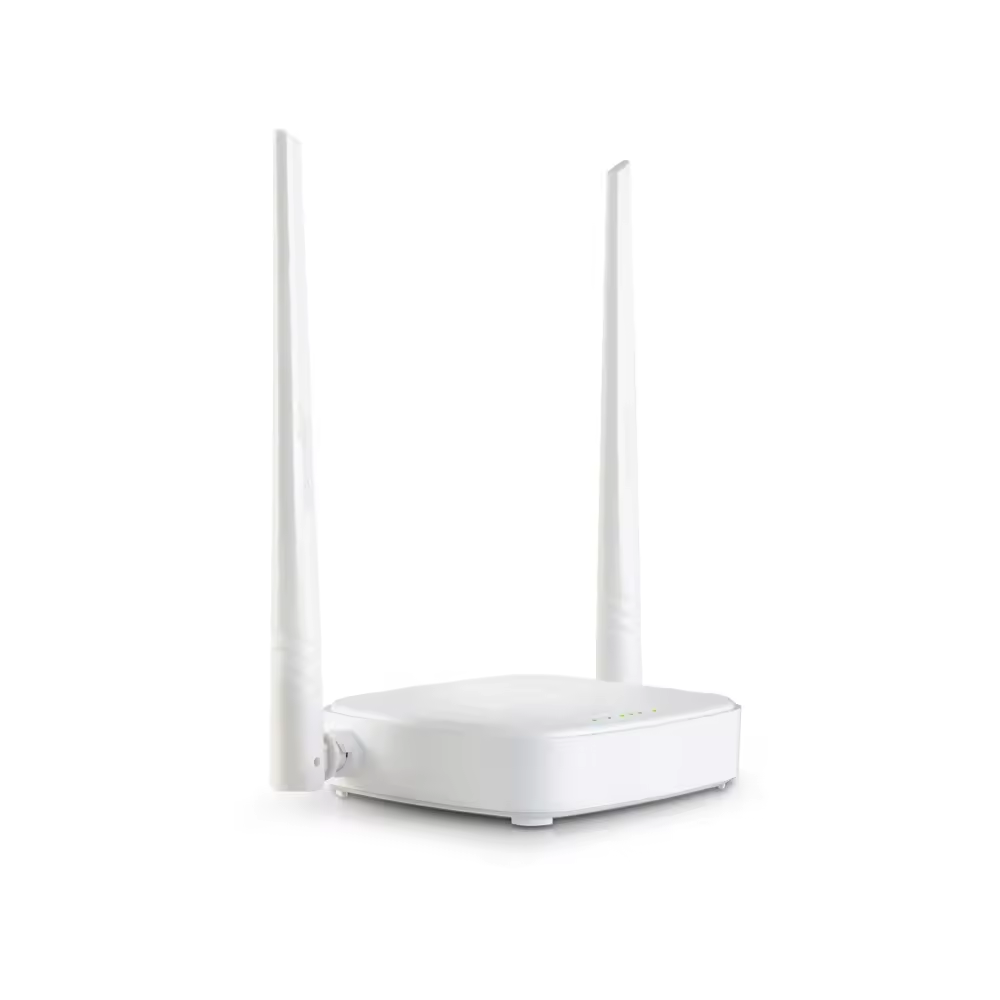
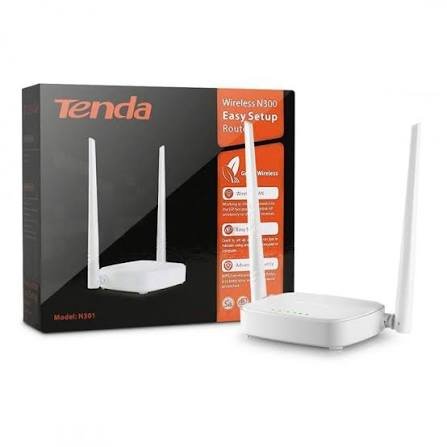
Tenda N301 — Wireless N300 Home Router
The N301 is a budget-friendly wireless router built for everyday home networking needs.
The N301 is a straightforward, no-frills device aimed at households that need stable WiFi coverage for browsing, streaming, and basic connected devices, without paying for features most home users never touch.
For buyers in Pakistan looking for an affordable entry-level router, the N301 hits a practical middle ground between price and functionality.
Tenda N301 Wireless Performance
The N301 runs on the 802.11b/g/n standard over the 2.4GHz band, delivering wireless speeds of up to 300Mbps.
While this isn’t the fastest standard available today, the N301 is more than sufficient for typical home use — web browsing, video calls, social media, and HD streaming across multiple devices.
Two external 5dBi antennas help the N301 extend coverage throughout small to medium-sized homes or apartments.
Wireless security on the N301 is handled through WPA/WPA2 and WPA-PSK/WPA2-PSK encryption, covering the standard protection most home networks need.
Tenda N301 Processing Power and Connections
Inside, the N301 uses a 400MHz processor paired with 8MB of RAM — modest specs, but appropriately scaled for this class of router.
On the wired side, the N301 includes 1 WAN port and 3 LAN ports, all rated at 10/100Mbps, enough to connect a few wired devices directly alongside wireless clients.
Flexible Operating Modes on the Tenda N301
One of the more useful aspects of the N301 is its support for multiple operating modes beyond standard wireless routing.
The N301 can function as a Universal Repeater to extend an existing WiFi signal, a WISP client to connect to a wireless ISP, or an Access Point (AP) if you already have a router and just need added wireless coverage.
This flexibility means the N301 can serve different roles depending on your setup.
Parental Controls on the Tenda N301
For households with children or shared networks, the N301 includes basic Parental Control features, letting you filter specific client devices and set time limits on their internet access.
This is handled through the N301’s web interface, without needing any third-party software.
Tenda N301 Network Management Tools
Despite its budget positioning, the N301 includes a fairly complete set of network management tools.
The N301 supports DHCP Server functionality along with a DHCP Client List and DHCP Reservation.
Virtual Server features on the N301 include Port Forwarding, DMZ Host, and UPnP, relevant if you’re running services like game servers or security cameras.
Dynamic DNS (DDNS) support on the N301 is included for no-ip, DynDNS, and Oray, letting you access your home network remotely.
VPN Pass-Through on the Tenda N301
While the N301 doesn’t run its own VPN server, it does support VPN pass-through for IPsec, PPTP, and L2TP connections.
This means devices connected to the N301 can still establish outbound VPN connections without issues.
Additional Tenda N301 Convenience Features
The N301 includes a few extra touches, including PPPoE username/password cloning and a Smart WiFi Schedule feature.
MAC Cloning, System Logs, and configuration Backup & Restore are also included on the N301, along with browser-based firmware upgrades.
Tenda N301 Internet Connection Compatibility
The N301 supports the most common connection types used by ISPs, including PPPoE, Dynamic IP, and Static IP, along with regional PPPoE, PPTP, and L2TP variants.
This broad compatibility means the N301 should work with most standard broadband connections in Pakistan.
Compact Tenda N301 Design, Simple Setup
Physically, the N301 is small and unobtrusive, measuring 127.4 × 90.5 × 26mm.
The N301 includes a single Reset/WPS button, along with LED indicators for system status, WLAN, LAN ports, and WAN connection.
Built for Standard Home Conditions
The N301 is rated to operate between 0°C and 40°C, with humidity tolerance from 10% to 90% non-condensing.
It carries CE, FCC, and RoHS certification, and the N301 ships with everything needed to get started: the router itself, a power adapter, an Ethernet cable, and an install guide.
Who Is Best For
The N301 is best suited for budget-conscious households, small apartments, or secondary/backup routers.
If you need basic, reliable WiFi coverage with a manageable feature set, the N301 is a sensible, affordable choice.
Full technical specifications for the N301 are listed below.




Reviews
There are no reviews yet.